Auto deployment to FTP server with Travis-CI
Instead of integrating your app with deployment platforms like deployHQ, you can use Travis-CI to create your custom deployment process.
In my case, I just need to deploy my front-end static assets up to an FTP server.
Create your deploy script
I use node-ftp to do the ftp task. It is quite a easy-to-use module, the code is much like below:
// deploy.js
var Client = require('ftp');
var chalk = require('chalk');
var fs = require('fs');
var path = require('path');
var ENV = process.env;
var BUILD_PATH = path.resolve(__dirname, ENV.FTP_BUILD_PATH || 'build');
var TARGET_PATH = ENV.FTP_SERVER_PATH;
var USERNAME = ENV.FTP_USERNAME;
var PASSWORD = ENV.FTP_PASSWORD;
var HOST = ENV.FTP_SERVER_HOST;
var PORT = ENV.FTP_SERVER_PORT || 21;

var client = new Client();
client.on('greeting', function(msg) {
  console.log(chalk.green('greeting'), msg);
});
client.on('ready', function() {
  client.list(TARGET_PATH, function(err, serverList) {
    console.log(chalk.green('get list from server.'));
    /*
     * somehow you need to workout what files you are going to upload
     * you may need to compare with what already exists in the server
     */
    var uploadList = /* your upload list */
    var total = uploadList.length;
    var uploadCount = 0;
    var errorList = [];
    uploadList.forEach(function(file) {
      console.log(chalk.blue('start'), file.local + chalk.grey(' --> ') + file.target);
      client.put(file.local, file.target, function(err) {
        uploadCount++;
        if (err) {
          console.error(chalk.red('error'), file.local + chalk.grey(' --> ') + file.target);
          console.error(err.message);
          throw err;
        } else {
          console.info(chalk.green('success'), file.local + chalk.grey(' --> ') + file.target, chalk.grey('( ' + uploadCount + '/' + total + ' )'));
        }

        if (uploadCount === total) {
          client.end();
          if (errorList.length === 0) {
            console.info(chalk.green('All files uploaded!'));
          } else {
            console.log(chalk.red('Failed files:'));
            errorList.forEach(function(file) {
              console.log(file.local + chalk.grey(' --> ') + file.target);
            });
            throw 'Total Failed: ' + errorList.length;
          }
        }
      });
    });
  });
});
// connect to localhost:21 as anonymous
client.connect({
  host: HOST,
  port: PORT,
  user: USERNAME,
  password: PASSWORD,
});
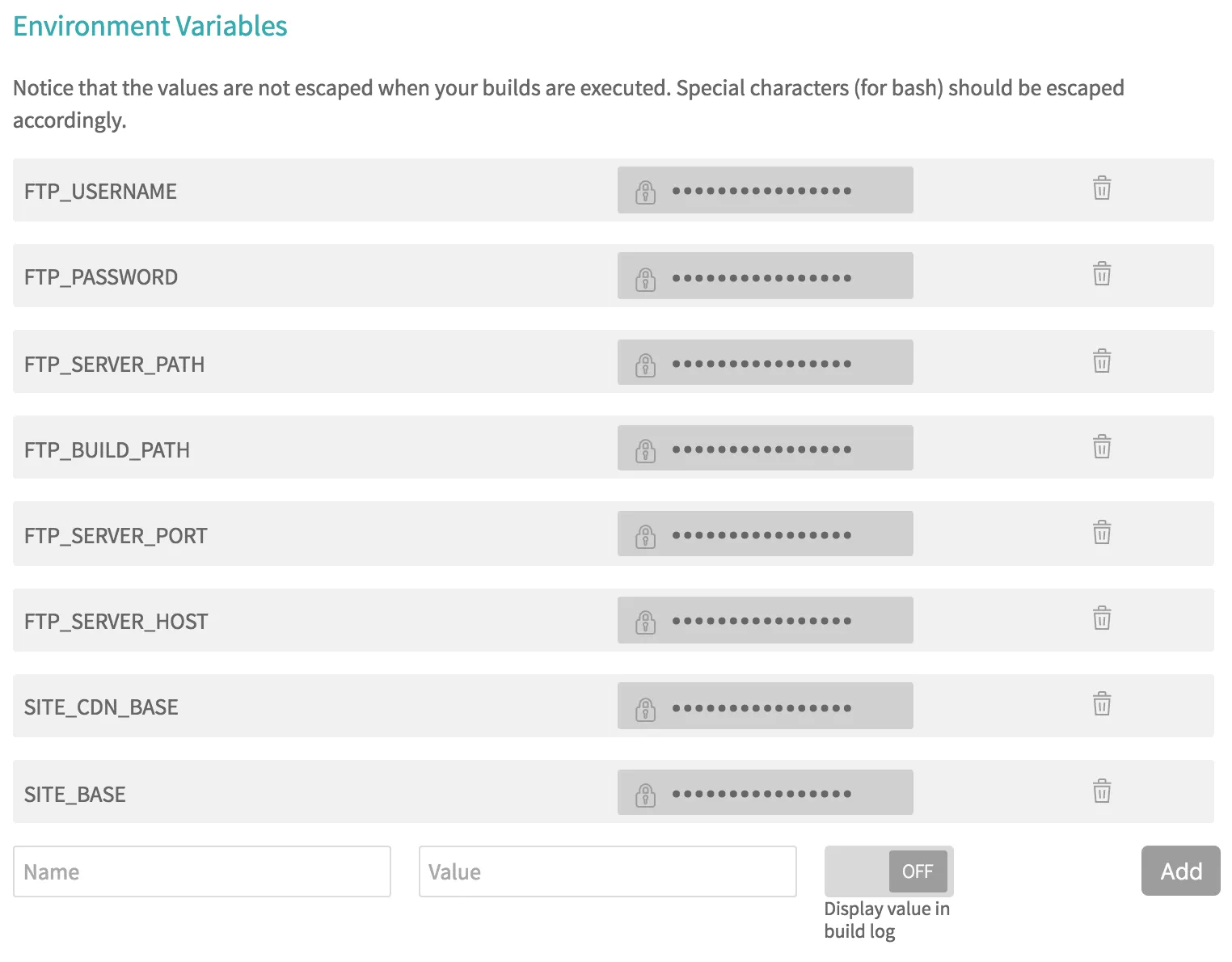
Notice the environment variables I use to setup the FTP client. You should not hard code this info into the script; it is not secure and not flexible either. We can pass down all the variables from Travis-CI later on.
Config your travis.yml
Travis provides script deployment for you to create custom deployment process.
deploy:
  provider: script
  script: node deploy.js
  on:
    branch: master
You just need to specify your deploy script and which branch you want to deploy. In my case, i want to exclude the /build dir from my repo, and I want the building process on the cloud instead of manually building the assets. So the whole config will be:
language: node_js
node_js:
  - node
branches:
  only:
    - master
script:
  - npm run build
deploy:
  skip_cleanup: true
  provider: script
  script: node deploy.js
  on:
    branch: master
Config your environment variables
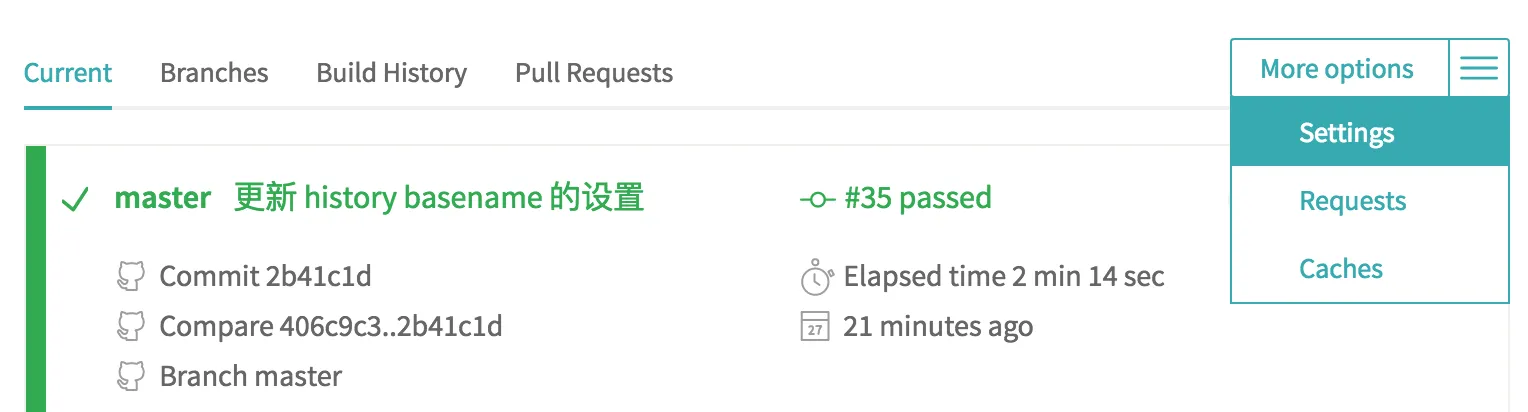
Open you project in Travis, and go to project settings:
And add all the variables you need to get access in your script:
Push your code and deploy!
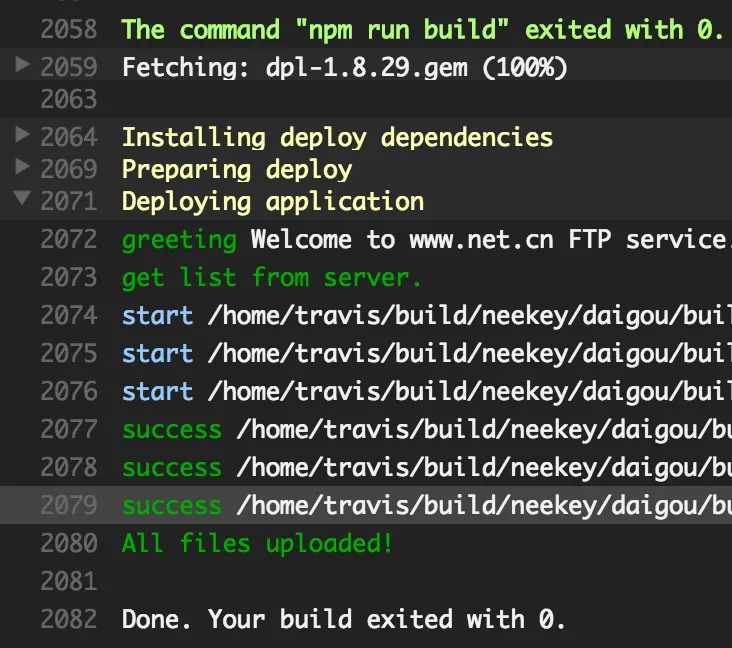
Now push some code to your master (bad habit, though, you should use pull request instead) and see if it works.
Comments